
Last Updated on September 27, 2026 by Shakitha
Solar panels generate less energy when sunlight is weak, so finding the best solar security camera for cloudy climates can be a challenge.
However, a good solar security camera can still operate reliably on cloudy days, provided it features an efficient solar panel and a powerful rechargeable battery.
These types of cameras are highly useful for monitoring driveways, garages, backyards, and other outdoor areas without relying entirely on wired cameras.
In this guide, I will explain how solar security cameras function in cloudy weather, how much sunlight they require, and which features are most important. We will also look at practical ways to improve charging and battery performance.
Best Solar Security Camera for Cloudy Weather: 5 Top Picks
What Is the Best Solar Security Camera for Cloudy Weather?
Arguably, the best solar security camera for cloudy climates is one that continues to operate when sunlight is limited.
A solar camera should feature an efficient solar panel, a high-capacity rechargeable battery, and low-power functions to minimize energy consumption.
Thanks to these features, the camera stores enough energy during periods of bright light to keep running on cloudy days.
A quality solar security camera also offers the option of multiple charging methods whenever possible.
Nowadays, some solar security cameras can be charged via USB or a wall adapter, which is useful after several days of low sunlight.
Another factor to consider is a weather-resistant design, as cloudy conditions often bring rain and humidity.
When selecting a solar security camera, look for a model with efficient solar charging, good battery capacity, motion detection, night vision, and reliable wireless connectivity.
Adjustable solar panels are also beneficial, as they allow you to position the panel to capture the strongest available sunlight.
Keep in mind that while solar panels can still generate electricity on cloudy days, charging is generally slower than in direct sunlight.
If your area frequently experiences prolonged cloudy weather, you should choose a camera with a higher-capacity battery and a backup charging option to ensure more reliable security coverage.
How Do Solar Security Cameras Work on Cloudy Days?
Good solar security cameras can continue working on cloudy days because their solar panels can still produce electricity from diffused sunlight.
However, the amount of energy generated is usually lower than on a bright, sunny day.
Usually, a solar panel converts the available light energy into electrical energy and sends it to the camera’s rechargeable battery.
Another important part is the battery in the solar security camera system.
While during sunny periods the panel can generate enough power to operate the camera and recharge the battery, when the clouds reduce the solar production, the camera can use the stored battery power instead.
This also allows the camera to continue recording or detecting motion even when the panel is producing less electricity.
If your weather is cloudy, it does not necessarily stop solar charging, but several consecutive cloudy days can gradually reduce the battery level.
If your camera has a larger battery, efficient solar panels, and low-power operation, it can generally handle these conditions better.
Other features like motion detection can also help conserve energy because the camera does not need to record continuously.
Nowadays, some of the models allow users to adjust motion sensitivity, recording length, and other settings to reduce battery consumption.
If your area has frequent cloudy weather, you can choose a solar security camera with an efficient panel, sufficient battery capacity, and a backup charging option for extended periods of low sunlight.
Best Solar Security Cameras for Cloudy Weather Top 5 Compared
| Security Camera | Resolution | Solar Charging | Battery | Night Vision | Local Storage | Best Use |
|---|---|---|---|---|---|---|
| eufy SoloCam S340 | 3K + 2K dual camera | Built-in solar panel | Rechargeable | Color night vision | 8GB built-in | Backyard & driveway |
| TP-Link Tapo C460 Kit | 4K UHD | Solar panel + battery | Rechargeable | Starlight color | microSD | High-resolution outdoor monitoring |
| TP-Link Tapo C425 Kit | 2K QHD | Solar panel + battery | Rechargeable | Starlight color | microSD | Budget outdoor security |
| Ring Stick Up Cam Battery + Solar Panel | 1080p | Optional solar panel | Rechargeable | Color night vision | Cloud | Homes using Ring ecosystem |
| Blink Outdoor 4 + Solar Panel | 1080p | Solar panel accessory | Battery powered | Infrared night vision | Sync Module/local option | Simple wireless monitoring |
My suggested order for your purchase
- eufy SoloCam S340 — Best overall feature combination
- TP-Link Tapo C460 Kit — Best 4K option
- TP-Link Tapo C425 Kit — Budget-friendly option
- Ring Stick Up Cam Battery + Solar Panel — Best for Ring users
- Blink Outdoor 4 + Solar Panel — Simple wireless option
1. eufy Security SoloCam S340, 3K Dual-Lens Solar Security Camera
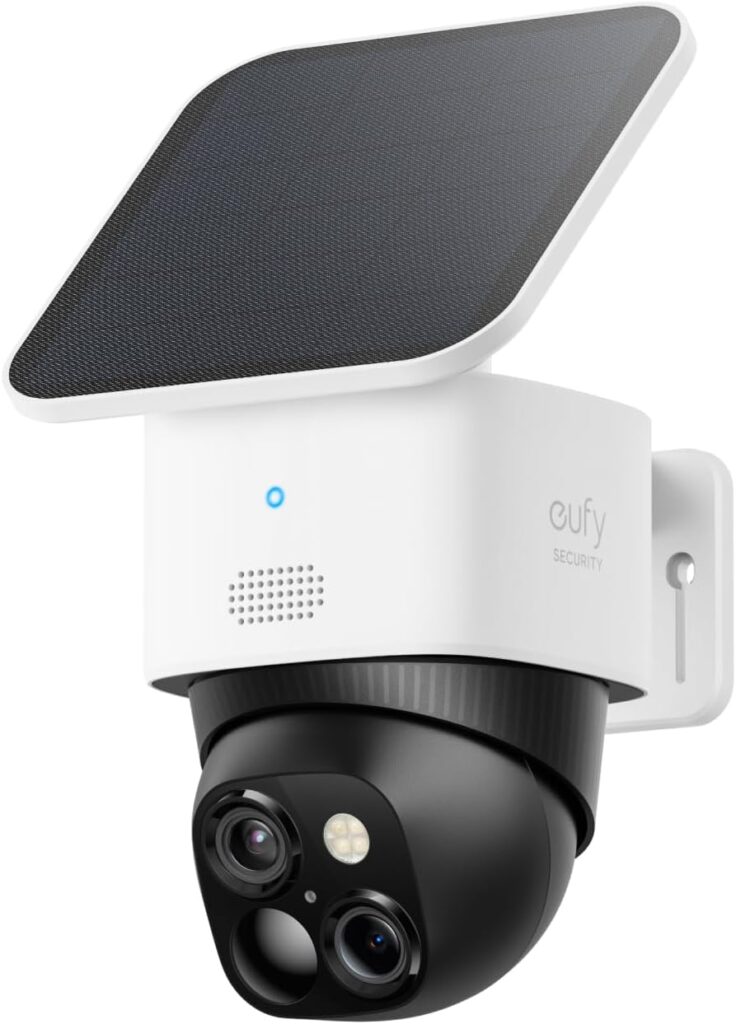
It is a solar-powered outdoor security camera designed for homeowners who want wide-area coverage without running power cables.
It has a 3K resolution wide-angle camera and 2K telephoto camera.
Integrated solar panels help recharge the built-in battery using available daylight.
AI-powered human detection, motion tracking, and local storage help to reduce the need for a monthly cloud subscription.
eufy Security SoloCam S340 — Pros
- 3K + 2K dual-lens cameras provide detailed video and a wider viewing area.
- Integrated solar charging helps maintain the battery using available daylight.
- 360° pan and 70° tilt coverage can monitor a larger outdoor area.
- AI human detection and motion tracking can help reduce unnecessary alerts.
- Local storage option can reduce dependence on a monthly cloud subscription.
eufy Security SoloCam S340 — Cons
- Cloudy weather can reduce solar charging, especially during several consecutive days of poor sunlight.
- Requires good solar-panel placement to collect sufficient daylight.
- Higher price than many basic outdoor security cameras.
- Some advanced features may require additional eufy equipment or services.
- Wi-Fi connectivity is required for remote viewing and notifications.
2. Tapo MagCam 4K Outdoor Wireless Security Camera, Magnetic Mount, C460 KIT
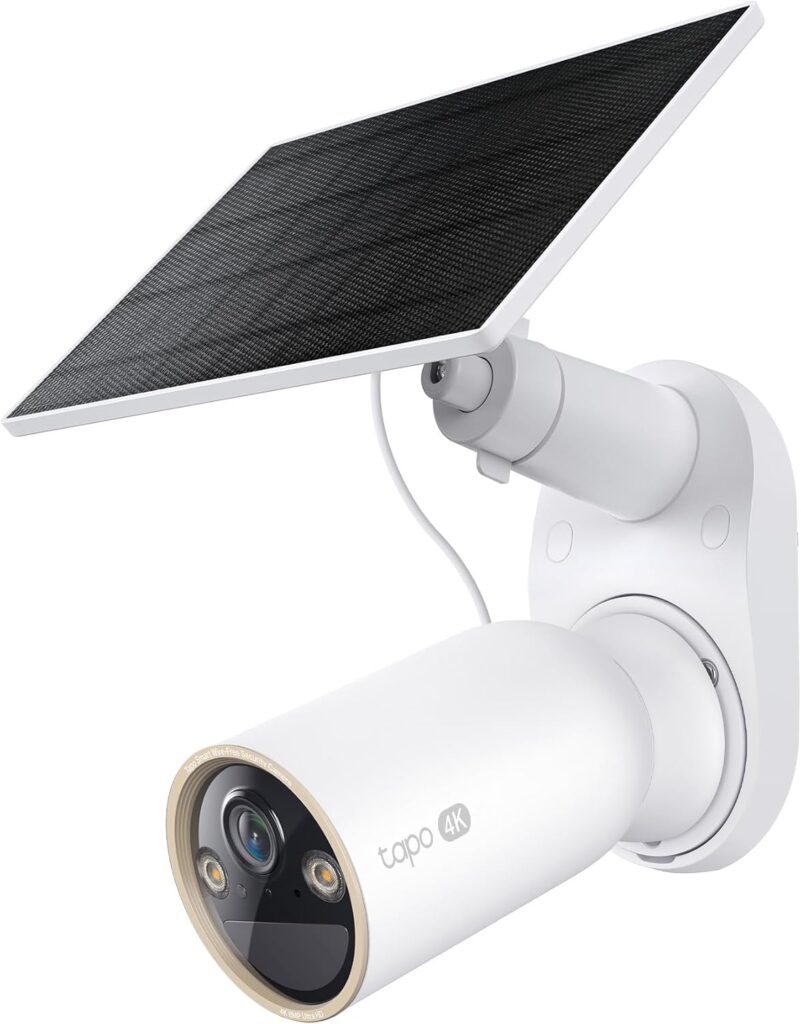
It’s a 4K outdoor wireless security camera designed for homeowners who want detailed video without running power cables.
It uses a rechargeable battery and solar charging setup.
It is mainly suitable for outdoor locations such as driveways, entrances, and backyards.
Its 4K resolution provides clear footage while smart detection features can help identify people and other activity.
For cloudy weather use, the rechargeable battery is particularly useful.
Proper solar panel placement is important for maintaining battery levels.
Tapo MagCam C460 KIT — Pros
- 4K Ultra HD video provides detailed footage for outdoor monitoring.
- Solar charging and rechargeable battery reduce the need for frequent manual charging.
- Magnetic mounting design makes installation and camera removal convenient.
- Wireless operation avoids the need to run a power cable to the camera.
- Smart motion detection can help identify people and other important activity.
Tapo MagCam C460 KIT — Cons
- Cloudy or rainy weather can reduce solar charging efficiency.
- Requires good solar-panel positioning for consistent charging.
- Battery runtime varies depending on recording, motion activity, and settings.
- 4K video can use more storage than lower-resolution recording.
- Some advanced features may require a Tapo subscription or compatible Tapo services.
3. Tapo MagCam 2K+ Outdoor Wireless Security Camera w/Solar, C425 KIT
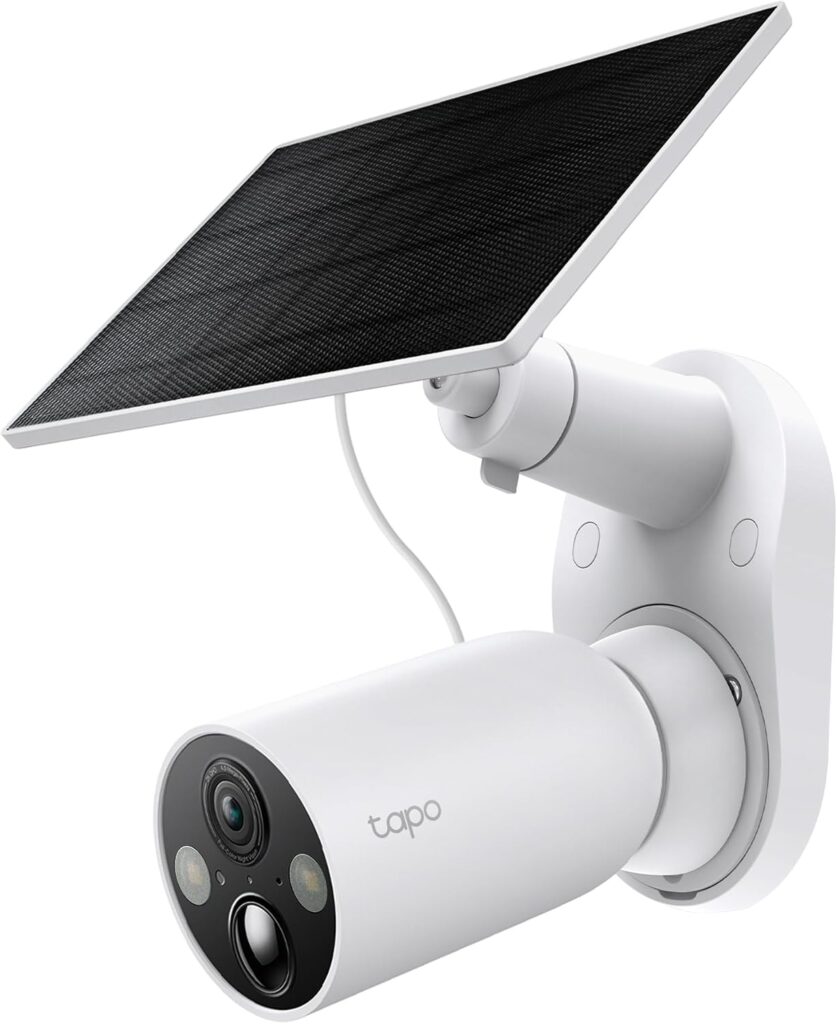
This wireless outdoor security camera combines 2K+ video resolution, a rechargeable battery, and solar charging.
It is designed to monitor driveways, patios, entrances, and backyards without running a power cable.
It features a magnetic mounting system, making the camera easier to install and remove when needed.
The smart detection feature helps identify people and other activity, while night vision provides monitoring after dark.
It is well-suited for cloudy locations, as the built-in battery stores energy collected during brighter periods.
Tapo MagCam C425 KIT — Pros
- 2K+ QHD video provides clear footage for everyday outdoor monitoring.
- Solar charging with a rechargeable battery helps reduce frequent manual charging.
- Magnetic mounting design makes installation and removal more convenient.
- Wireless design avoids the need for a permanent power cable.
- Smart detection and night vision provide useful monitoring features day and night.
Tapo MagCam C425 KIT — Cons
- Cloudy weather can reduce solar charging, particularly during prolonged overcast periods.
- Needs good solar-panel placement to collect sufficient daylight.
- Battery life varies depending on motion activity, recording settings, and Wi-Fi conditions.
- 2K+ video requires more storage than 1080p footage.
- Some smart features may require a Tapo Care subscription, depending on the feature and setup.
4. Ring Outdoor Cam (Stick Up Cam), Weather-Resistant Home or Business HD Security Camera
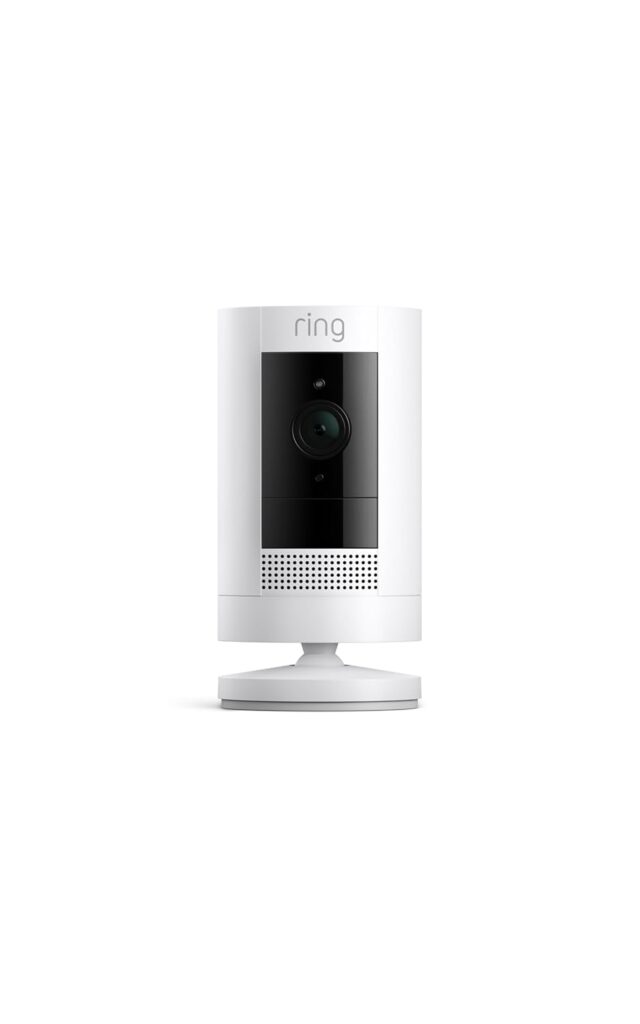
It is also known as Stick Up Cam.
It is a weather-resistant wireless security camera designed for monitoring areas around homes or businesses.
It provides HD video, motion detection, two-way talk, and night vision features.
It is suitable for your driveways, entrances, patios, and backyards.
It contains a rechargeable battery which is compatible, and it contains a solar panel.
The camera can be powered by a rechargeable battery, while a compatible solar panel can provide ongoing charging for outdoor installations.
For cloudy weather use, the battery can store energy collected during brighter periods.
It will help the camera continue operating when solar charging is reduced.
It also integrates the Ring ecosystem, which makes it useful for homeowners who already use other Ring security devices.
Pros
- Weather-resistant design for outdoor use
- HD video quality for everyday security monitoring
- Rechargeable battery provides flexible installation
- Compatible solar panel can help maintain battery charge
- Motion detection, night vision, and two-way talk
Cons
- Cloudy weather can reduce solar charging
- Solar panel is an additional accessory
- Battery life varies with motion activity and settings
- Some features require a Ring subscription
- 1080p resolution is lower than some 2K/4K competitors
5. Blink Outdoor 4 and Battery Doorbell 2K+ (newest model)
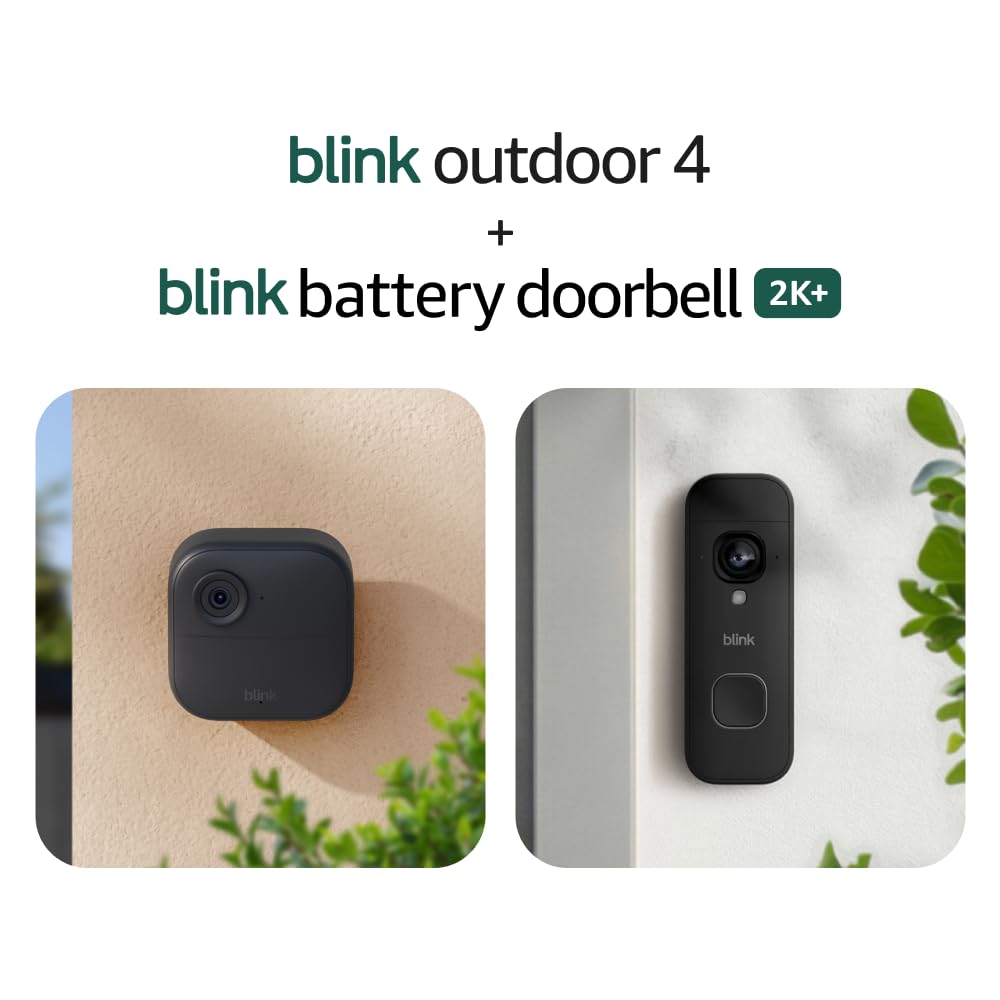
Blink Outdoor 4 and Battery Outdoor Bell 2K are wireless security devices designed for flexible outdoor monitoring without complicated wiring.
They provide 1080p HD video, infrared night vision, motion detection, and two-way audio.
They are suitable for areas such as backyards, driveways, and entrances.
The Battery Doorbell 2K offers a higher resolution 2K video.
You can use battery power, while compatible solar accessories can help extend battery life outdoors.
In cloudy weather, stored battery power helps keep the device operating when solar charging is reduced.
Pros
- Wireless battery-powered design for easy installation
- Blink Outdoor 4 provides 1080p HD video
- Battery Doorbell 2K+ offers higher-resolution 2K video
- Compatible solar accessories can help extend battery life
- Motion detection and two-way audio for outdoor monitoring
Cons
- Cloudy weather can reduce solar charging
- Solar accessories may need to be purchased separately
- Battery life depends on motion activity and camera settings
- Some features may require a subscription
- Two different devices can increase the overall setup cost
Buyer’s Guide
What Features Should You Look for in a Solar Camera for Cloudy Weather?
Below I have provided a clear comparison table for your easy understanding
| Feature | What to Look For | Why It Matters in Cloudy Weather |
|---|---|---|
| Solar Panel | Efficient, high-quality panel | Helps collect more energy from available daylight |
| Battery Capacity | Large rechargeable battery | Provides backup power when solar charging drops |
| Low-Power Operation | Efficient standby and motion detection | Reduces battery drain between charging periods |
| Solar Panel Adjustment | Adjustable mounting angle | Helps maximize available sunlight |
| Video Resolution | 2K or higher | Provides clearer footage without necessarily requiring continuous recording |
| Night Vision | Color or starlight night vision | Maintains useful footage after sunset |
| Motion Detection | Person/vehicle detection and activity zones | Reduces unnecessary recordings and battery consumption |
| Weather Resistance | IP65 or better | Protects the camera and panel from rain and dust |
| Local Storage | microSD or built-in storage | Allows recording without depending entirely on cloud subscriptions |
| Backup Charging | USB or other supported charging | Useful during extended cloudy or rainy periods |
How Much Sunlight Does a Solar Security Camera Need?
Usually, a solar security camera does not necessarily need direct sunlight all day to operate.
Nowadays, most models can generate some electricity from diffused sunlight on cloudy days, but charging will be slower than under bright direct sunlight.
The amount of sunlight required depends on your camera’s solar panel size, battery capacity, motion activity, and local weather conditions.
Getting several hours of good daylight exposure each day can help maintain the battery.
If your camera receives around three to five hours of useful sunlight, it may perform well in many situations.
However, if your camera is installed in heavily shaded areas, it may struggle to replace the energy it consumes.
If your location is cloudy, solar panel placement is especially important.
You should install the panel where it has the clearest view of the sky and where it receives the strongest available daylight.
You should avoid locations blocked by trees, walls, roof overhangs, and other structures.
Another factor to keep in mind is battery capacity; it also matters.
If you have a larger battery, it can store extra energy during sunny periods and provide power when several cloudy days occur.
If you are located in an area that frequently experiences extended cloudy weather, you should look for a solar security camera with an efficient solar panel, a large rechargeable battery, low-power operation, and optional USB or wall charging.
These features can make the camera more dependable when sunlight is limited.
How Long Can a Solar Security Camera Run During Several Cloudy Days?
First, you should consider your camera’s
battery capacity,
solar panel efficiency,
motion activity,
recording settings, and weather conditions,
as these factors are necessary to determine how long a security camera can operate during several cloudy days.
When sunlight becomes limited, your solar security camera doesn’t stop working immediately; instead, it uses the energy stored in its rechargeable battery.
Even in cloudy weather, the solar panel may still generate some electricity from available daylight.
However, if the camera consumes more power than the panel produces, the battery level will gradually decrease.
If your camera has a larger battery, it can continue operating for longer periods without strong sunlight.
For example, a camera that normally consumes little power and only records occasional motion events may work for several cloudy days.
On the other hand, if your camera performs continuous recording, receives frequent motion alerts, has a weak Wi-Fi signal, or operates in cold temperatures, power consumption can increase, shortening the battery runtime.
Where you mount the solar panel is also a crucial factor.
The location makes a significant difference; if the panel has an unobstructed view of the sky, it can collect more daylight than one installed under a roof or in deep shade.
If your area frequently has many cloudy days, you might choose a camera with a high-capacity battery, an efficient solar panel, adjustable power settings, and a backup charging option.
Rather than relying on a specific number of days, check the manufacturer’s battery specifications and consider your typical weather and camera usage before selecting a model.
Where Should You Install a Solar Security Camera in Cloudy Weather?
When you are installing your solar security camera in a cloudy climate, solar panel exposure should be one of your main priorities.
You should choose a location where the panel has the clearest possible view of the sky and where it can collect daylight for most of the day.
You should avoid placing the panel under trees, balconies, roof overhangs, or other structures that create shade.
If you have an outdoor security camera, the common installation locations usually include driveways, backyard entrances, gates, patios, garages, and side yards.
You should position the camera high enough to provide a wide view while keeping important areas within its detection range.
However, you should avoid pointing the camera directly towards strong light sources, as this can affect image quality.
If your camera has an option where the camera and solar panel can be adjusted separately, it is one of the advantages you have.
You should position the camera for the desired viewing angle and place the solar panel where it receives better daylight.
If your area has frequent cloudy weather, it is particularly important to install the panel in an open, unobstructed location.
Even though clouds reduce solar energy production, an exposed panel can still collect available diffused daylight.
Before you permanently mount the camera, you should monitor the location at different times of the day.
Doing so can help you identify shaded areas and find a position that provides both good camera coverage and maximum available daylight.
How Can You Improve Solar Camera Charging on Cloudy Days?
To improve your solar camera charging on cloudy days, you can start by maximizing the amount of available daylight reaching the solar panel.
Usually, clouds reduce solar energy production. If you install it properly and maintain it correctly, it can help the panel collect more available light.
Choose an unobstructed location: Install the solar panel where trees, walls, roof edges, and other objects create minimal shade throughout the day.
Adjust the panel angle: Point the panel toward the area of the sky that receives the strongest daylight. Follow the manufacturer’s installation recommendations for the correct angle.
Keep the panel clean: Dust, leaves, bird droppings, and dirt can reduce the amount of light reaching the panel. Clean it periodically with a soft, damp cloth.
Use a larger or compatible solar panel: If your camera supports an optional higher-output panel, it may provide better energy collection when sunlight is limited.
Reduce unnecessary battery consumption: Lowering motion sensitivity, reducing recording duration, or adjusting other power settings can help the battery last longer between charging periods.
Check the battery condition: An aging or damaged battery may not store energy effectively, even when the solar panel is working properly.
Consider backup charging: For locations with prolonged cloudy or rainy periods, choose a camera that supports USB or wall charging.
Your main goal is to increase the energy collected while reducing unnecessary energy consumption. This will help the camera remain operational during extended periods of cloudy weather.